Inspiration
NVIDIA-style physical simulation inspired me to build a Unity training environment for my SO-101 instead of recording every episode by hand.
Multiple digital twins run in parallel, collecting observations, actions, and outcomes faster than one physical arm.
Vision & Robotics
A Python server receives JPEG frames and ROI data from each Unity camera through WebSocket.
YOLO detects objects and ByteTrack stabilizes Track IDs. Results return to the matching Unity arm.
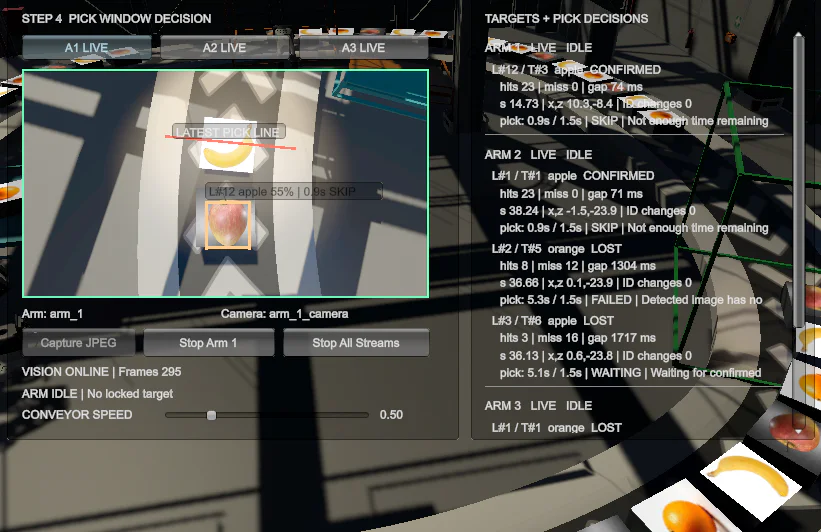
Detection alone does not trigger a pick. A red Latest Pick Line marks the last safe start point.
Unity predicts the time to that line. If it is too short, the arm abandons the pick.
float distanceToLine = Mathf.Max(0f, latestPickS - target.pathS);
float timeRemaining = distanceToLine / conveyorSpeed;
float timeRequired = estimatedPickSeconds + safetyMargin;

if (!target.confirmed || !arm.IsIdle)
    return;

if (timeRemaining < timeRequired)
{
    Record(target, "SKIPPED", "INSUFFICIENT_TIME", timeRemaining);
    return;
}

if (!target.TryClaim(arm.Id))
    return;

StartPick(target, result =>
{
    target.ReleaseClaim();
    Record(
        target,
        result.Success ? "SUCCESS" : "FAILED",
        result.FailureReason,
        timeRemaining
    );
});Every initiated action ends as a success, failure, or abandoned attempt. The outcome—together with its reason, Track ID, timing, and joint data—is written to that session's CSV file, creating structured episodes for future robotics training.
Web Control Panel
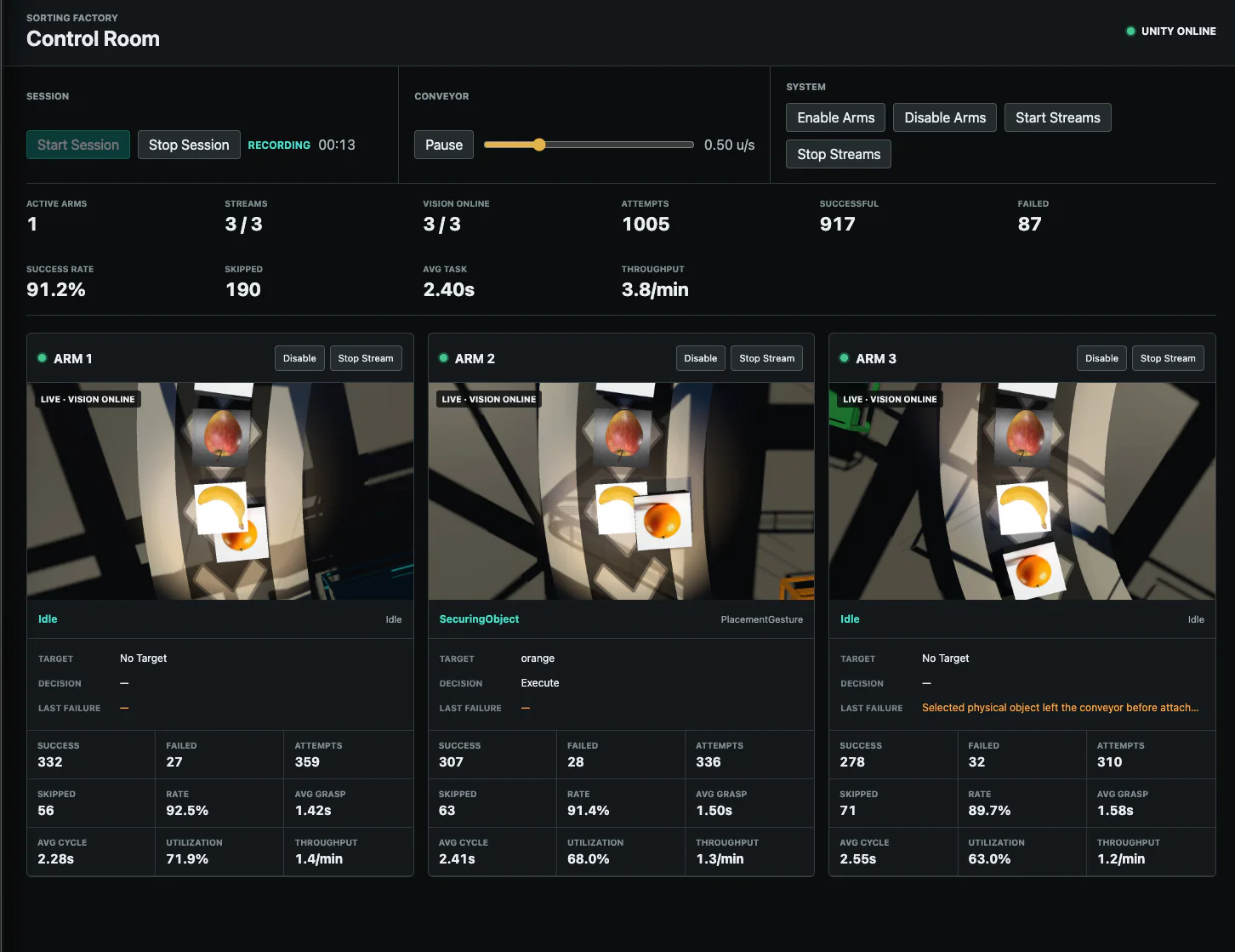
The control room gives me a live view of all three robotic arms, including each arm's work state, successful picks, and failed picks.
Success and failure rates stay visible throughout the session, making it easier to monitor performance and preserve consistent statistics for later analysis.